Blog /
Product
Compare 10 construction site report tools for architects in 2026 and find the right way to capture, share, and act on site information.

David Vauthrin
Co-founder
A cornerstone of project management, the construction site report serves as the official record of weekly meetings where decisions are made, progress are tracked, and communications are formalized.
Despite its contractual importance, many architects and project managers—whether independent or in firms—still draft these reports in Word, using features unchanged for decades, without real evolution. This often leads to issues, including low readership rates: only about 30% of recipients actually read the report intended for them.
Construction site report software for architects is a tool designed to document site meetings, structure contractual information (attendees, observations, decisions, tasks), distribute reports to stakeholders, and track readership.
In 2026, the top-performing solutions incorporate mobility, artificial intelligence, flexible editing, and smartphone-optimized reading experiences.
In an era of rapid AI and technological advancements, how do you distinguish between generalist tools, broader construction software, and true specialists?
New specialized site report tools—featuring mobility, AI, and smart distribution—are transforming practices for architects and project managers.
What are the best tools for creating effective construction site reports in 2026?
Here's a detailed comparison of the 10 most used tools by architects, including advantages, limitations, and use cases.
What Criteria to Use When Comparing Construction Site Report Software?
In summary: A good construction site report tool for architects should enable
|
|---|
Architects—and execution project managers—need solutions that are both feature-rich and flexible to fulfill their project responsibilities.
Key criteria for choosing construction site report software in 2026:
On-site entry: Notes, photos, and audio via mobile.
Controlled formatting: Editorial freedom and professional output.
Personalization: Alignment with agency branding.
Integrated AI: Transcription, rephrasing, and content generation.
Smart distribution: Targeted sending, auto-reminders, and read tracking.
Pricing model: Subscription type, per-user or unlimited.
What is the Best Construction Site Report Software for Architects in 2026?
The best construction site report software for architects in 2026 is there.do because it's the only specialized solution combining mobile entry, built-in AI, advanced personalization, full content and layout freedom, automated distribution, and readership tracking—all in a smartphone-readable format.
The Top 10 Tools
Here's the 2026 ranking of the 10 best tools for construction site reports, based on the criteria above. Specialized solutions like there.do stand out as most relevant.
This list compares major categories in site report’s tolls for architects:
Specialized software (there.do): Built specifically for site reports, with AI, integrated distribution, and read tracking.
Generalist tools (Word, Excel, PowerPoint): Highly flexible but time-consuming, not mobile-friendly, no read tracking.
Site tracking software (ArchiPad, ArchiReport, etc.): Strong for reserves and tasks, but limited for report drafting and formatting.
2026 ranking at a glance
🥇 there.do: Most comprehensive and the only true specialist for site reports
🥈 Word, Excel: Powerful generalists but time-intensive
🥉 ArchiPad, ArchiReport, and similar: Primarily site tracking tools
Quick review of the top 10:
1 - THERE.DO | |
|---|---|
Pros
| Cons
|
2 - WORD | |
Pros
| Cons Slow for basics like photo insertion or tables.
|
3 - EXCEL | |
Pros
| Cons
|
4 - ARCHIPAD | |
Pros
| Cons
|
5 - ARCHIREPORT | |
Pros
| Cons
|
6 - KALM | |
Pros
| Cons
|
7 - BATISCRIPT | |
Pros
| Cons
|
8 - FINALCAD | |
Pros
| Cons
|
9 - CLOVIS | |
Pros
| Cons
|
10 - POWERPOINT | |
Pros
| Cons
|
#1 - there.do: the AI-Powered specialist for construction cite reports in 2026
Description
there.do is an AI-native specialized construction site report software designed for architects and project managers. It includes iOS/Android mobile apps for photos and audio notes with AI summaries, a rich web text editor with ready-to-use professional content (attendees, next meetings, tasks, photo galleries), and tools for distribution plus readership tracking.

Typical use cases:
|
|---|
Types of report with there.do:
|
|---|
Criteria coverage
Entry & formatting:
Free editing like a Word-style editor.
Specialized content blocks.
Drag-and-drop reorganization.
Page break management.
Advanced personalization:
Logos, custom headers/footers.
Custom fonts, colors, photo sizes.
Free layout.
Integrated AI:
Audio transcription.
Note/text rephrasing.
Text generation.
AI email drafting from report content.
LLM choice (Gemini, ChatGPT, Mistral, Anthropic).
Distribution:
Targeted or full sending.
Cc/Bcc management.
Scheduled sending.
Auto-lock after user-defined delay.
Read tracking:
Email delivery/open tracking.
Report view tracking.
Auto-reminders for unread recipients.
Pricing model:
Per document pack (unlimited users).
Independent: €29/month for 15 documents (up to 3 weekly sites, annual).
10-person agency: €99/month for 100 documents (up to 25 parallel sites, annual).
Why choose it
there.do is the reference platform for construction site reports in 2026. With dedicated features like attendee lists, next meeting scheduling, and task management, it covers every need with advanced personalization. Everything is built-in, and the there.do format is truly mobile-readable—boosting readership and collaboration.
Learn more: https://www.there.do/
#2 Word: classic flexibility for site reports
Description
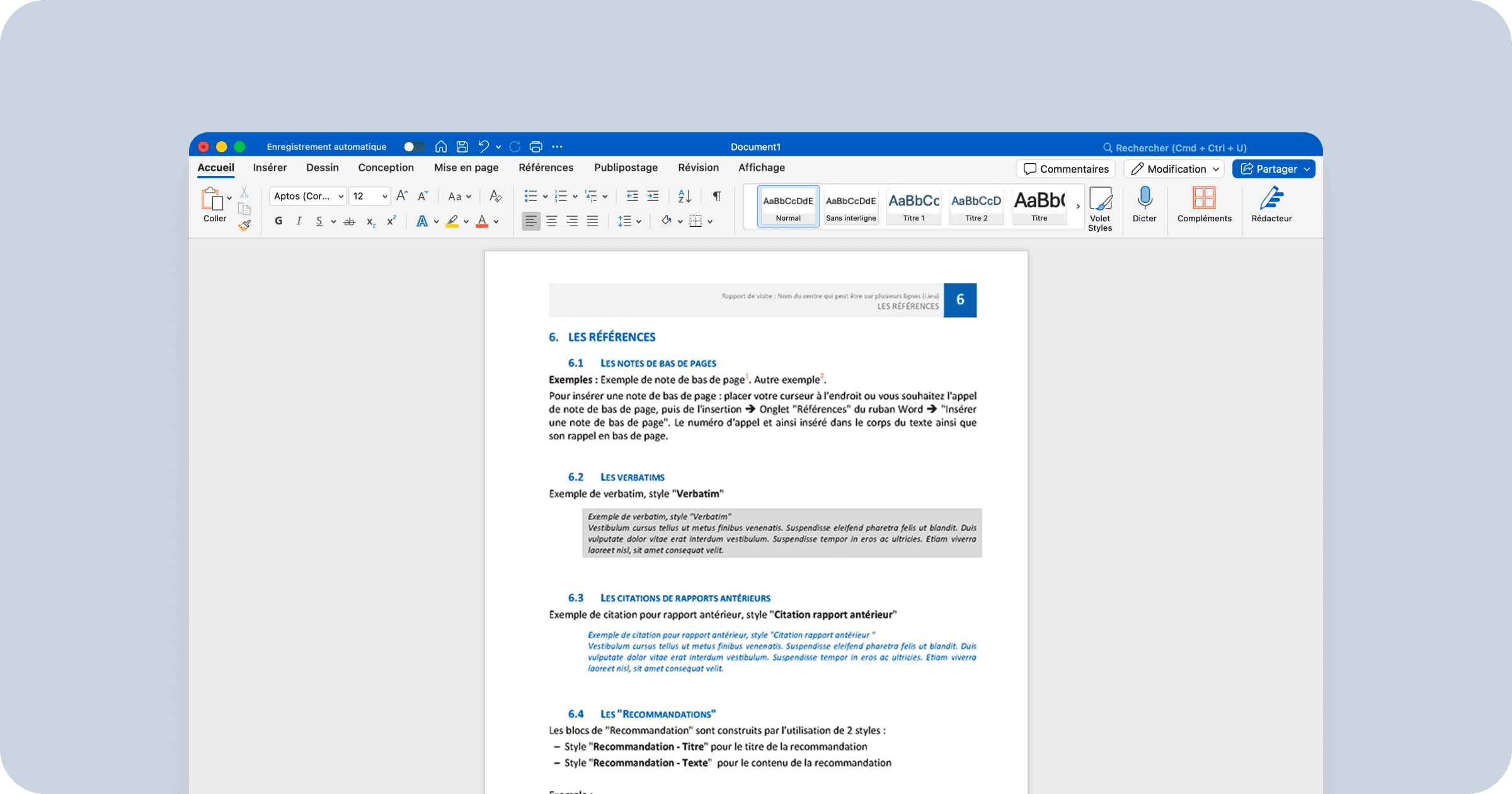
Microsoft Word, launched in 1983 by Microsoft, is the world's most widely used word processing tool for creating construction site reports by architects, project managers, engineering firms, and general contractors. It supports note-taking and photo insertion directly on desktop, features a rich text editor with free formatting, tables, styles, and customizable templates, and allows easy PDF export for email distribution.
Criteria coverage
Entry & formatting:
Free entry and formatting, though this freedom can lead to inconsistencies in company templates.
Template use isn't always straightforward.
Low productivity (up to 8 hours per report).
Advanced personalization
Ability to define and apply styles for headings.
Full customization possible, requiring time and skills.
Integrated AI:
Copilot available for content generation and text rephrasing.
No transcription of meeting audio recordings.
No meeting summary from recordings.
Single AI (Copilot); no LLM choice.
Distribution:
PDF export sent via Outlook.
Outlook doesn't draft emails based on PDF content.
No retrieval of emails or "marked for distribution" from the report.
No mobile-optimized reading format.
Read tracking:
No report readership tracking.
Outlook provides email read receipts but not attachment views (i.e., the actual report).
Pricing model:
Per-user pricing.
Independent: €11.70 per user/month (annual subscription).
10-person agency: €117/month (annual subscription).
Often zero additional cost, as it's already in most companies.
Why choose it
For absolute formatting flexibility, maximum compatibility, and zero training needed—everyone knows Word. If your firm already has Microsoft 365, no extra budget is required.
Learn more: https://www.microsoft.com/en-us/microsoft-365/word
#3 Excel: for tracking numerous tasks
Description
Microsoft Excel, launched in 1985 by Microsoft, is the world's leading spreadsheet tool. Architects, project managers, engineering firms, and general contractors use it for task tracking and supplementary tables in site reports. It enables detailed schedules, financial tracking, progress monitoring with automatic formulas, pivot tables, charts, customizable templates (often combined with Word for final reports), photo insertion, and PDF export for email sharing.

Criteria Coverage
Entry & formatting:
Free entry, but confined to cells, limiting layout freedom.
Advanced personalization:
Header/footer management.
Custom colors, fonts, and logos.
Integrated AI:
Copilot available as add-on, but not native for spelling or rephrasing.
No AI for audio transcription or email drafting.
Distribution:
PDF export sent via Outlook.
Outlook doesn't draft emails based on content.
No email retrieval or "marked for distribution."
No mobile-optimized format.
Read tracking:
No readership tracking.
Outlook email receipts don't confirm attachment reads.
Pricing model:
Per-user pricing.
Independent: €11.70 per user/month (annual).
10-person agency: €117/month (annual).
Often zero additional cost, as it's standard in most firms.
Why choose it
Ideal for projects with extensive task tracking, thanks to Excel's filters and row-hiding for completed items. Image management in cells, though tedious, allows standardized formatting.
Learn more: https://www.microsoft.com/en-us/microsoft-365/excel
#4 ArchiPad: integrated with issues tracking
Description
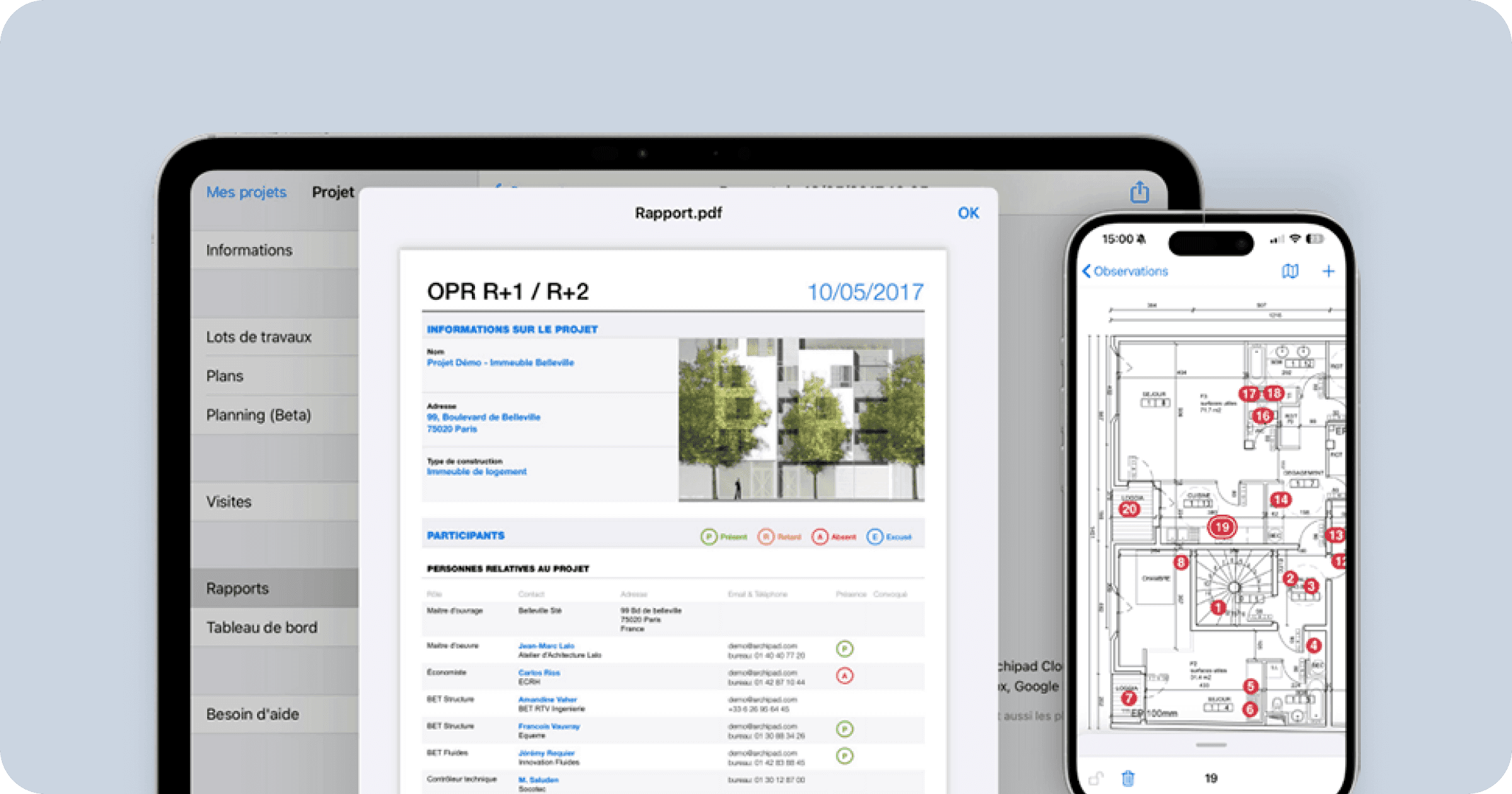
Launched in 2011, Archipad is a dedicated app for site tracking and report creation for architects. It includes mobile apps for iPad/iPhone for photos and annotations, reserve localization on plans, real-time field management, a web editor (Archipad Cloud) for report preparation and personalization, automatic PDF generation, distribution to stakeholders, task tracking, and notifications.
Criteria coverage
Entry & Formatting:
Form-based for adding report data.
No direct entry on the report itself.
Advanced personalization:
Choice of three report styles (no custom creation).
Font color for observations/titles.
Logo addition.
No custom fonts.
Integrated AI:
No AI features.
Distribution:
Sent via device email client.
Read tracking:
No readership tracking.
Pricing model:
Per-user pricing (varies by plan; contact for details).
Often around €40-50/user/month based on current market data.
Why choose it
Great if reserve list integration is key—automatic inclusion in reports offsets limited personalization.
Learn more: https://archipad.com/en/features/construction-site-report-software/
#5 ArchiReport: Reports built from plans
Description
Launched in 2011, ArchiReport is a dedicated app for site tracking and report creation for architects, project managers, engineering firms, developers, and contractors. It features mobile apps (iPad, iPhone, Android) for photos, text/drawn annotations, reserve localization on plans, real-time field management, web/desktop versions (Mac/Windows) for report preparation with templates and custom formatting, PDF generation, distribution, task/reserve status tracking.

Criteria coverage
Entry & formatting:
Data entry on platform, not directly on report.
Limited formatting options (section choice/order).
Advanced personalization:
Some fonts, colors, logo.
No specific font import.
Integrated AI:
No AI features.
Distribution:
Integrated platform sending (to all stakeholders; no targeted marking).
Read tracking:
Not available.
Pricing model:
Per-user (e.g., Pro ~€30/user/month; Team plans higher).
Why choose it
Choose if you need strong site tracking that generates reports from project data—limited personalization but solid, clean templates.
Learn more: https://www.archireport.com/en/features/site-reports/
#6 Kalm: All-in-one for architects
Description
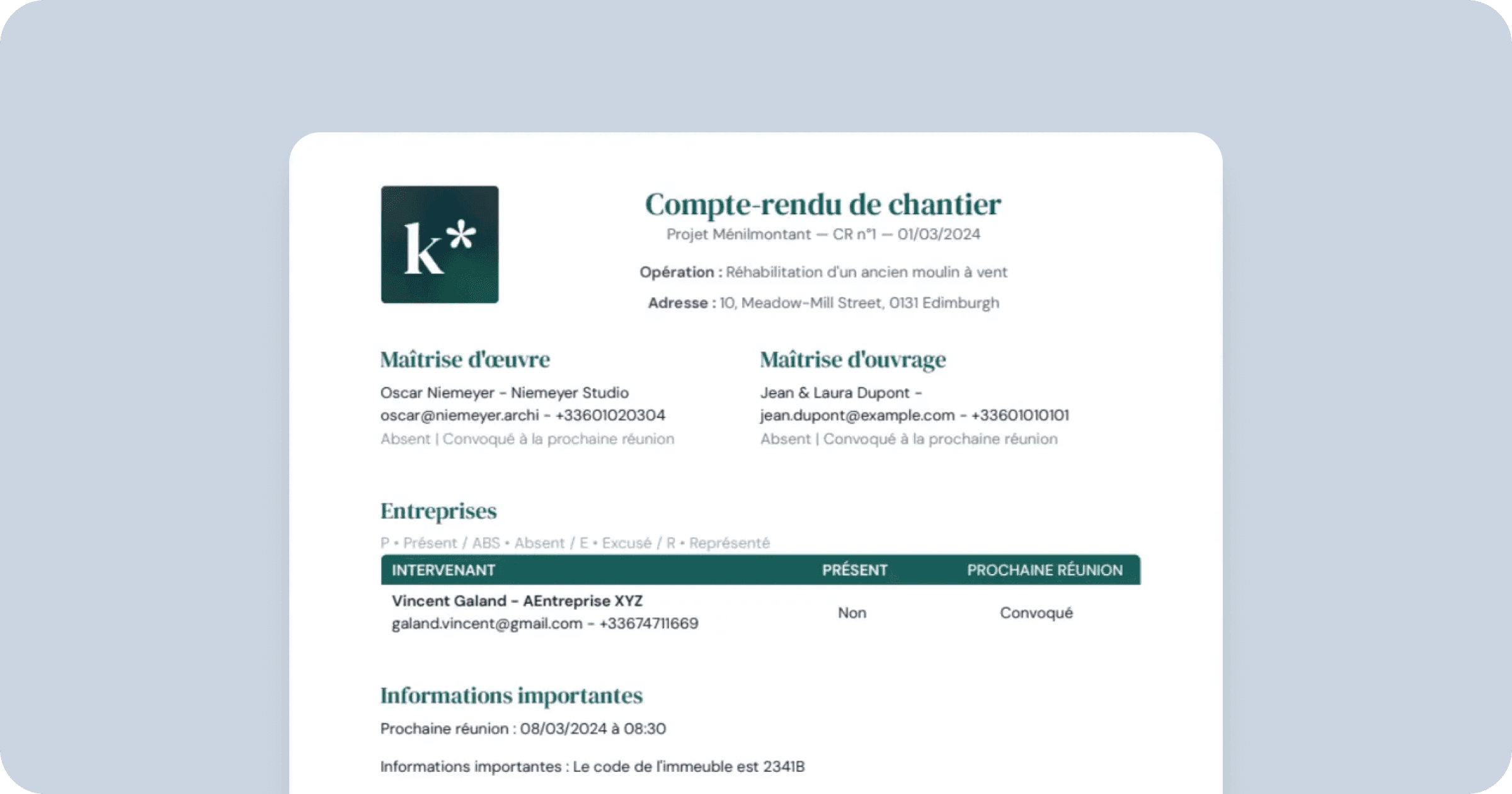
Launched in 2023, Kalm.ai is a SaaS all-in-one platform dedicated to project and site management for architects, interior architects/designers, and project managers. It's a web app for managing projects, estimates, schedules, reports, and budgets.
Criteria coverage
Entry & formatting:
Web platform entry, not directly on report.
Advanced personalization:
Limited: logo, colors.
Integrated AI:
No dedicated AI.
Distribution:
PDF export sent via user email (e.g., Outlook).
Read tracking:
No tracking (Outlook receipts don't confirm attachment reads).
Pricing model:
Per-user (starting ~€49-89/month; discounts for young professionals).
Why choose it
Perfect for solo or agency architects needing an all-in-one tool for full project coverage. Reports are secondary but functional.
Learn more: https://www.kalm.ai/en/site-tracking
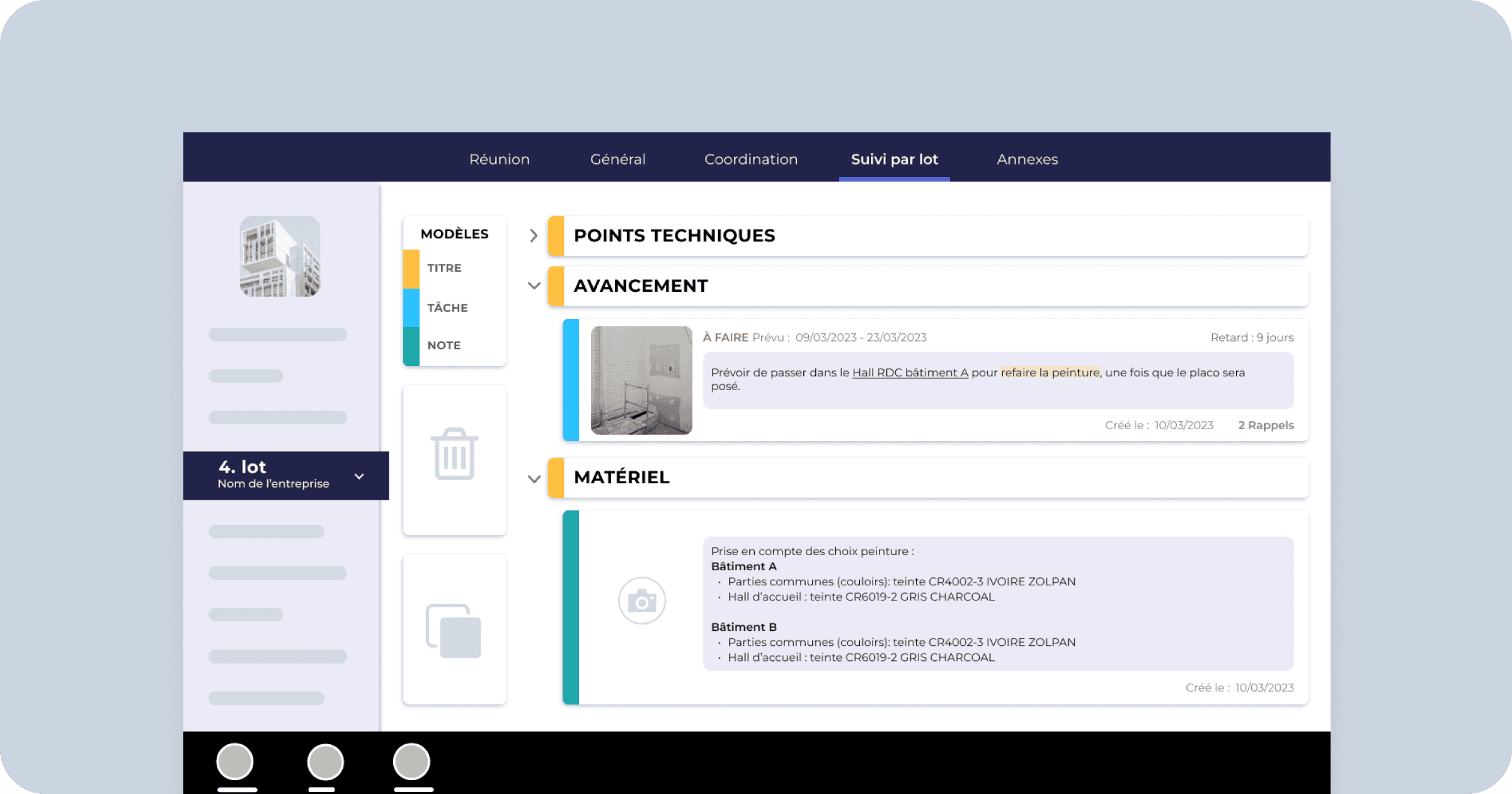
#7 Batiscript: handwriting recognition
Description
BatiScript, launched in 2011, is a platform dedicated to construction site monitoring for architects, project managers (maîtres d’œuvre), engineering firms, developers, and project owners. It includes a mobile app (iOS and Android), as well as tablet and PC versions, for taking photos, writing notes, managing tasks, and generating reports. Exports are available in PDF, Word, and Excel. The solution also includes collaborative features.
Criteria coverage
Entry & Formatting:
Form-based data entry across different platforms. To verify formatting, users must export a PDF.
Advanced Personalization
Colors and logo.
Integrated AI:
AI assistance for managing voice notes.
Distribution:
Exports in PDF, Word, and Excel, sent via the user’s email client (Outlook).
Read tracking:
No native reading tracking for reports within the solution.
While Outlook can provide delivery and read receipts for emails, it does not indicate whether the recipient opened the attachment (i.e., the report itself).
Pricing model:
Pricing available on request only, depending on the commercial model (several options possible: commitment-based, subscription, or per-project billing).
Why choose it
For users already working with the BatiScript suite who want seamless integration with construction site monitoring.
Learn more: https://www.batiscript.com/en/features/site-report-software/
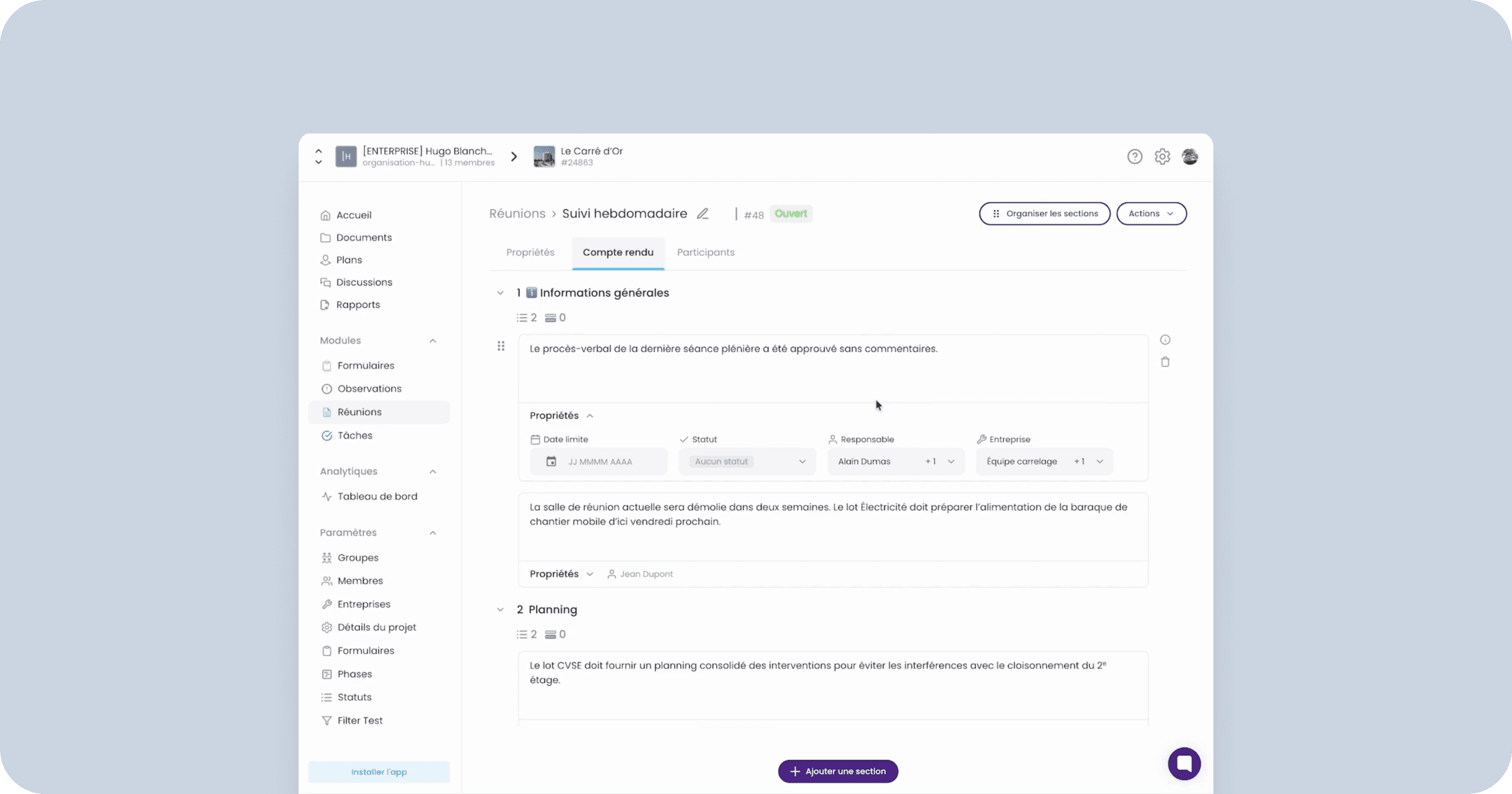
#8 Finalcad: Collaboration Focus
Description
Launched in 2011, Finalcad is a platform for site tracking and collaborative management for general contractors, project managers, owners, architects, and engineering firms in building, infrastructure, and energy. Mobile apps (iOS/Android) for photos, text/drawn annotations, reserve/defect localization on 2D/3D/BIM plans, web platform, dedicated report module, PDF export, scheduled distribution.
Criteria coverage
Entry & formatting:
Form-field entry.
No free formatting.
Advanced personalization:
Logo addition.
Section choice/order.
No fonts/colors.
Integrated AI:
No AI.
Distribution:
PDF export via user email.
Read tracking:
No tracking.
Pricing model:
Custom (contact for quote; free basic version available).
Why choose it
Relevant for existing Finalcad users adding the report module to their workflow.
Learn more: https://www.finalcad.com/en/products/home
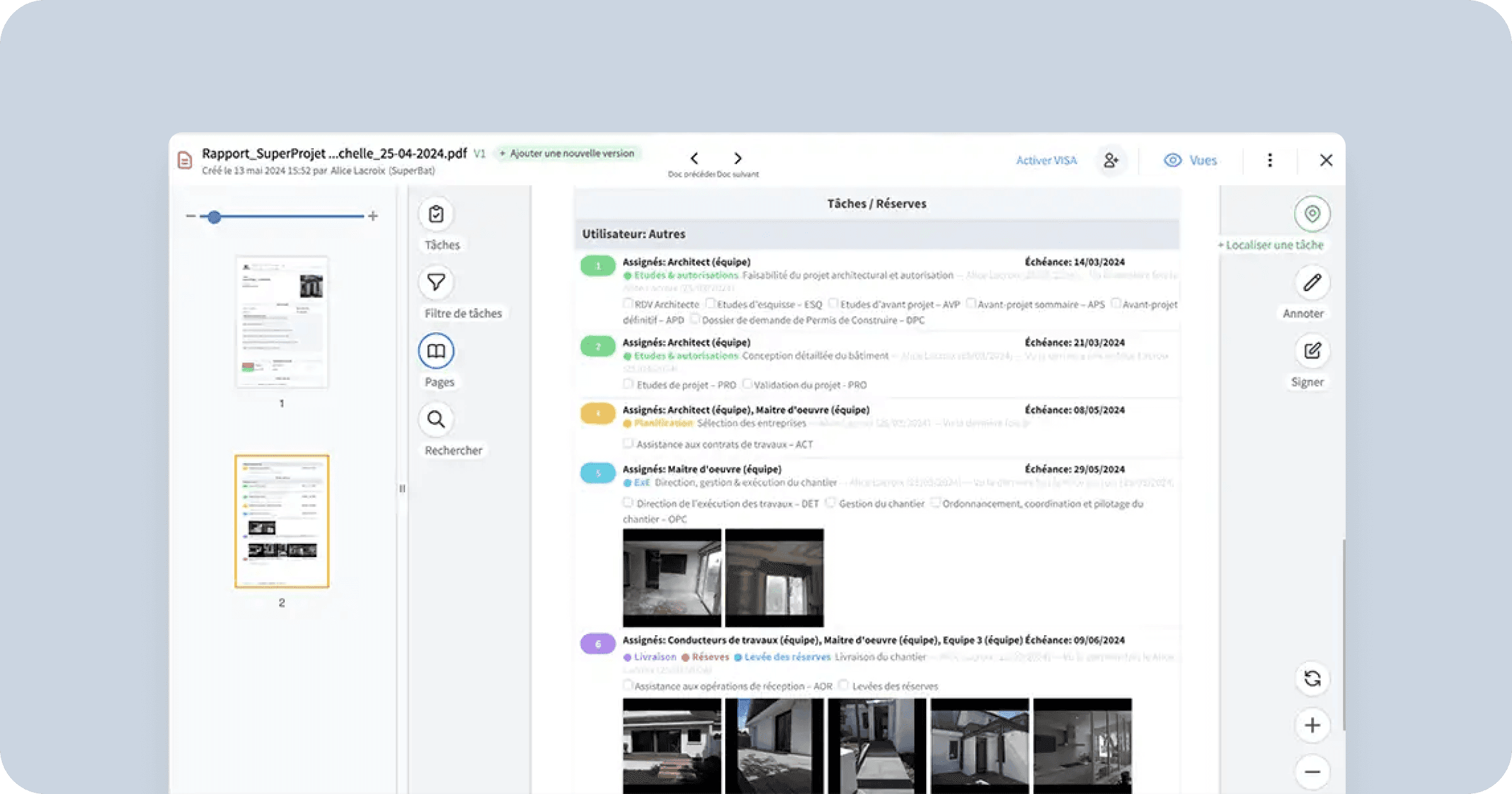
#9 Clovis: traceability
Description
Launched in 2020, Clovis is an all-in-one platform for project and site management for architects, project managers, engineering firms, contractors, craftsmen, and developers. Mobile apps (iOS/Android) for photos/videos, text/drawn annotations, task/reserve localization on 2D/3D plans. Dedicated report module for content selection (no layout control), PDF/Word generation, email sharing, task view/comment tracking (requires stakeholder accounts).
Criteria coverage
Entry & formatting:
Report built from platform content (tasks/observations).
Advanced personalization:
Section choice/order.
Integrated AI:
No AI.
Distribution:
Platform-integrated with manual recipient selection.
Read tracking:
No direct report tracking.
Task views if stakeholders create accounts.
Pricing model:
Per-user (custom plans; contact for details).
Why choose it
Strong for Clovis users leveraging the report module alongside site tracking—avoids duplicate entry.
Learn more: https://www.clovis.app/solution/traceability
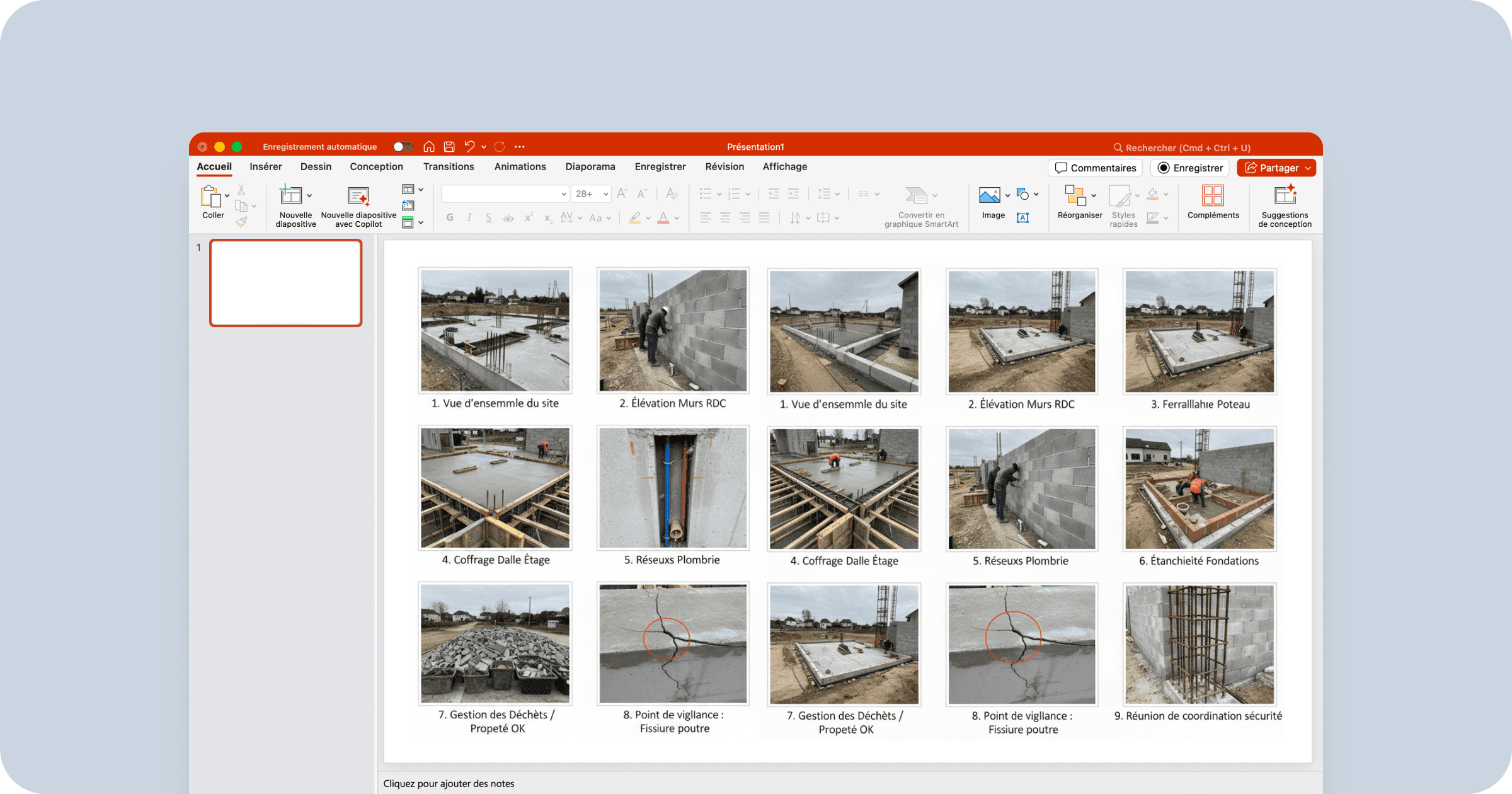
#10 PowerPoint: for visual reports
Description
Microsoft PowerPoint, launched in 1987 by Microsoft, is the world's leading presentation tool. Rarely primary for full site reports, it's used for visual progress summaries with easy image layout. Slide editing with free formatting, themes, customizable templates, PDF export for email.
Criteria coverage
Entry & formatting:
Total freedom.
Consistency challenges due to slide-based nature.
Advanced personalization:
Full customization (time-intensive).
Integrated AI:
AI for slide templates; limited text generation/rephrasing.
Distribution:
PDF export via user email.
Read tracking:
No tracking.
Pricing model:
Per-user.
Independent: €11.70/user/month (annual).
10-person agency: €117/month (annual).
Often zero additional cost.
Why choose it
Prefer for image-heavy visual reports.
Learn more: https://www.microsoft.com/en-us/microsoft-365/powerpoint
FAQ on Architects' Construction Site Reports in 2026
What tool replaces Word for construction site reports?
Specialized software like there.do effectively replaces Word by automating formatting, distribution, and read tracking—while being faster on site and in the office.
Is site tracking software suitable for reports?
Partially. Site tracking tools excel at tasks/reserves but offer limited editorial freedom for structured, contractual reports.
Why is mobile reading critical for site reports?
In 2026, most stakeholders read reports on smartphones. Non-optimized formats drastically reduce readership and document effectiveness.
Conclusion: choose an AI specialist for your Site Reports in 2026
In 2026, selecting construction site report software goes beyond drafting—it's about enhancing collaboration while maintaining contractual rigor.
Generalist tools like Word or Excel remain common but are time-consuming and limited in mobility, traceability, and collaboration—often requiring multiple complementary tools.
AI-integrated specialists like there.do precisely meet architects' and project managers' current needs where generalists fall short.
Architects aiming to professionalize reports and leverage AI should opt for a purpose-built solution like there.do.
👉 Testing a dedicated tool often halves time spent on reports—while improving readership and impact.
David Vauthrin
Co-founder