Custom labels
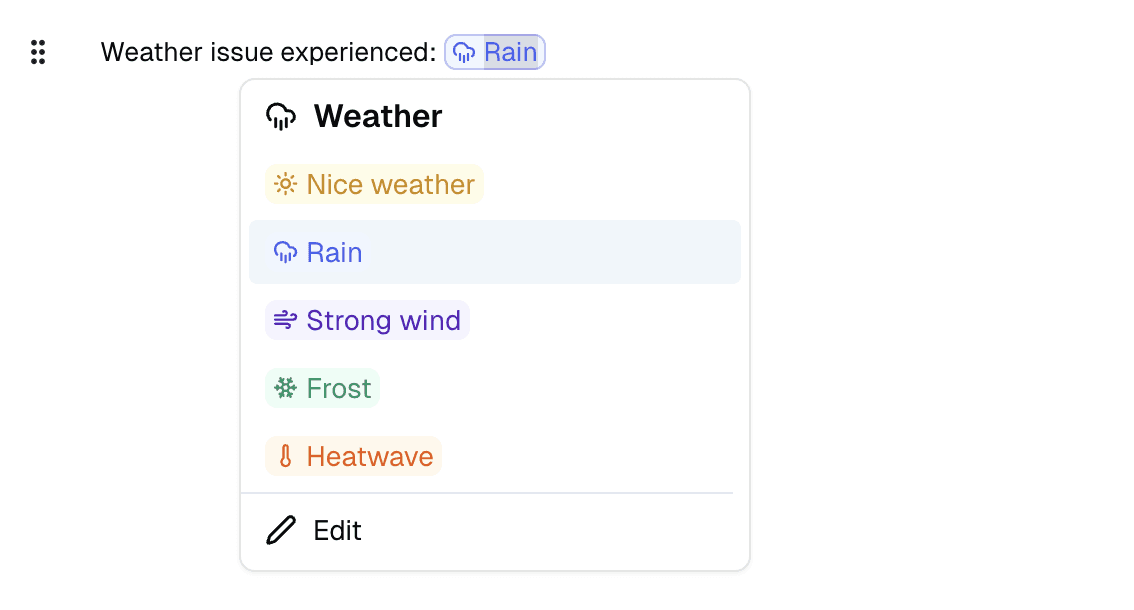
Save time by creating your own reusable labels. Type @ followed by your label name to instantly insert it into your documents. These labels can be project statuses (pending, approved, submitted), progress states (to do, in progress, completed), or any other recurring element in your workflow.
Create and manage your labels directly from the input menu: choose a name and color for easy visual identification. Labels integrate naturally into your tables and documents, allowing you to standardize your processes without retyping. They automatically sync across your organization.
Improvements
Voice notes – Ability to listen to the original audio of your voice notes after AI transcription and formatting
Mobile viewing – Access to the original note of a voice note directly from the mobile app
Contact block – Added email and phone fields for complete contact information
Bug fixes
Fixed issue where changing text color on one task affected other tasks
Corrected label display order that differed from input order
Fixed header and footer alignment in Safari
Resolved dropdown menu positioning issue that wasn't aligned with input location
Fixed AI-generated labels that were not editable