Enhanced headers and footers, advanced date management in Completion block, and Mistral Large 3 support
Enhanced headers and footers
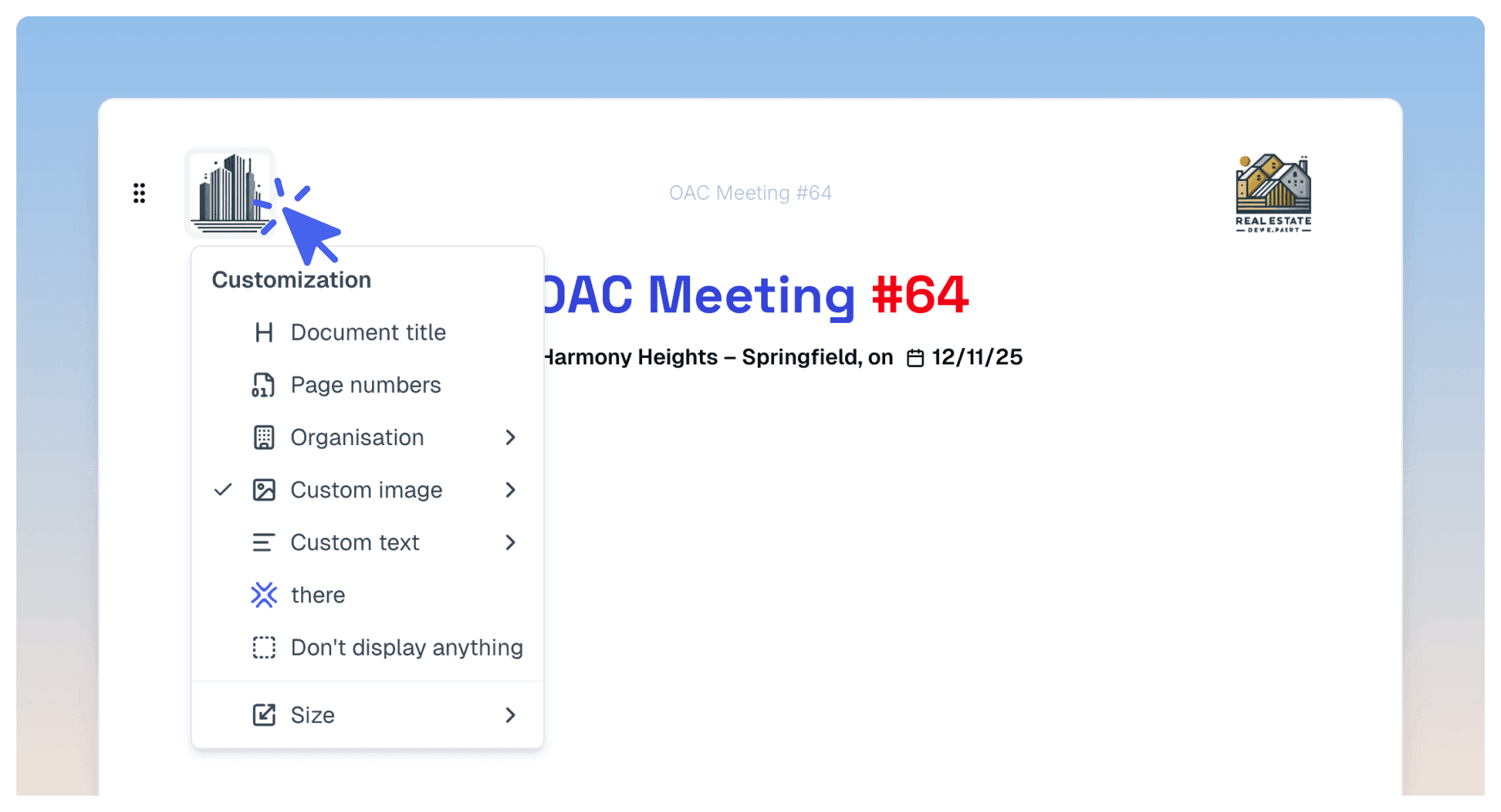
New options enhance the customization of your headers and footers. Add custom text to include legal mentions, references, or personalized information, and choose between 1, 2, or 3 columns based on your layout needs. Text automatically aligns based on its position: left, center, or right.
These options complement existing features for page numbering, date, title, and logo to create documents perfectly tailored to your professional needs.
Advanced date management in Completion block
Choose how dates display in your Completion blocks according to your needs. Three options are now available in settings: no dates displayed for a clean view, a short date with delay indicator (D+xxx), or full display of all 4 dates (planned and actual) on 2 lines for detailed tracking.
This flexibility lets you adapt the display to each context, whether you favor simplicity or precise project progress tracking.
Improvements
Artificial Intelligence – Integration of Mistral Large 3, Mistral AI's most capable model, offering enhanced multimodal and multilingual capabilities
Create next – Label block updates are correctly detected and marked, and you can now manually edit the detected date and document name before applying changes to stay in control
Label block – Ability to remove the icon displayed next to a label group
Task block – Added indent and unindent actions for tasks to better organize subtasks
Marketing website – Automatic redirect to the app if you're already signed in for smoother access
Bug fixes
Fixed "Add to calendar" button display in Meeting block for readers
Fixed copy-paste of subtasks being converted to main tasks
Resolved document summary generation issues
Fixed inability to create new dropdown lists
Fixed drag-and-drop of blocks on Firefox browser
Fixed various sync and state issues during voice note uploads on mobile