Image zoom in galleries
View your images in full screen with a simple click. When you click on a thumbnail in a gallery, the image displays in large format for better detail visibility. This feature is available in both the editor and public document view, as well as on mobile.
Easily navigate between images in your gallery in enlarged mode and close the view with one click to return to your document.
Advanced Table Formatting
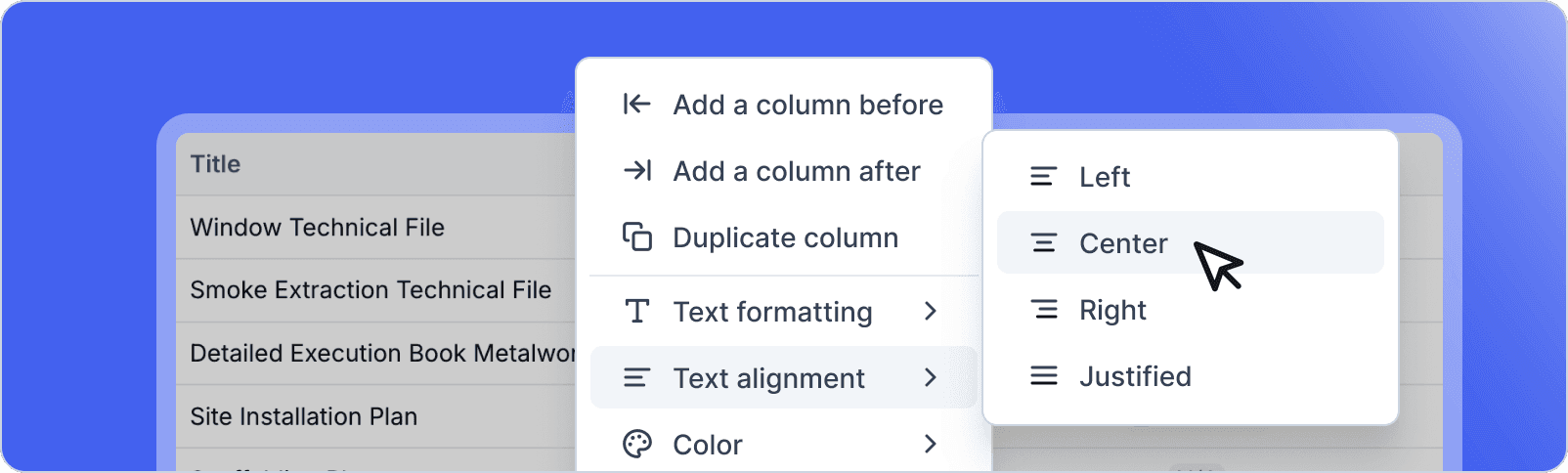
Further customize your tables with new formatting options. Change the background color of individual cells to highlight important data. Apply text formatting (bold, italic, color) to row and column headers. Align text in bulk across multiple cells by selecting an entire row or column.
These improvements allow you to create more visual and professional tables, similar to what you could do in Excel or Notion.
Improvements
Checklists – Added checklists in tables, callouts, and task blocks via the slash menu
Task creation date – New tasks automatically include their creation date, with a quick button to edit the date from the status picker
Navigation performance – Significant performance improvement for scrolling in the notes list
Icon library – Added over 50 new icons (building, security, utilities, medical, etc.)
Color customization – Direct access to color customization from the color palette
Comment clarification – Added visibility indicator for public comments
Auto-hide navigation – Improved automatic navigation hiding behavior
Bug Fixes
Fixed incorrect time display in meeting block during PDF export
Resolved display issue for large values (more than 3 digits) in quantity block
Fixed inability to resize table columns
Fixed randomly broken button display on new tasks
Enhanced yellow highlight color for better readability
Fixed icon alignment in meeting block when location spans two lines
Fixed error when dragging and dropping a note
Resolved photo export issue with missing file extensions
Fixed horizontal scrolling in comments panel
Fixed alignment of long text in label dropdown menus
Fixed collaboration cursor not displaying correctly
Improved attendance block display for readers (single line for one contact)
Fixed AI bar inappropriately activating when pasting an email in attendance block
Fixed non-clickable emails and incorrect phone numbers in PDF export of attendance block
Fixed data loss when copying label dropdown menus
Fixed access to style menu in side panels