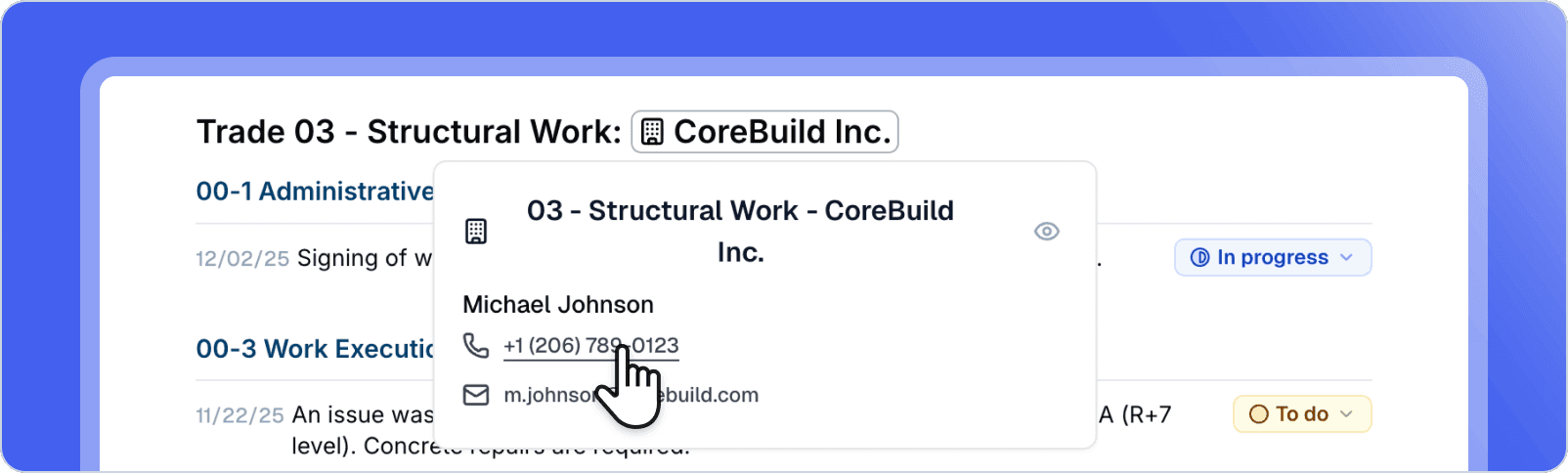
@Person and @Company mentions
Easily mention people and companies in your documents. Type @ followed by a name to create a link to a contact or company. Mentions are automatically created from the attendance block and can be used throughout the document.
Ideal for quickly referencing participants, subcontractors, or companies mentioned in your reports, with automatic suggestions during typing.
Document read notification
Receive an email notification when an identified recipient reads your shared document for the first time. Know instantly when your reports are viewed, allowing you to follow up proactively.
Perfect for following up at the right time with companies or contacts who haven't yet reviewed your important documents.
Navigation architecture redesign
New navigation architecture inspired by best design practices. The interface adopts a more modern style with better visual continuity: the navigation bar takes on the background color to create a more immersive experience, and the main page is highlighted in an elegant white frame.
Redesigned navigation for a smoother and more professional user experience.
Improvements
Attendance block - new statuses – Added "Not concerned" and "Represented" statuses to better reflect all attendance situations
Attendance block - inclusive writing – Statuses automatically display in feminine or masculine form based on the contact's gender
@broadcast badge – The @broadcast badge displays in light gray instead of blue to avoid confusion with the "excused" status
Short names – Intelligent management of short name versions in the attendance block for optimized display
Performance – Major optimizations: improved partial rendering, comment preloading, database indexes, and limited page re-rendering
Bug fixes
Photos in audio notes – Photos added before audio recording now appear correctly in the synthesized note
Android - White screen – Fixed white screen appearing when clicking photo and audio buttons on Android
Share email – The "Open document" link is now always clickable in emails, regardless of email client
PDF export – The table of contents no longer disappears during PDF export
Task block – Fixed status display on dates and adding tasks to the correct block
Subtask movement – Subtasks now keep their parent link when moved
Image library – Ability to scroll in the header and footer image library